Box
| Eine neue Form |
light_source{ <0,50,0> color rgb 1 } // Licht kommt senkrecht von oben
plane { y, 0 pigment{ color rgb 1 } } // der Boden ist eine weiße Ebene
box   { <-1,1,-1> <1,3,1> pigment{ color rgbt <1,0,0,0.5> } } // ein roter Würfel der Kantenlänge 2 der halbdurchlässig ist
camera{ location <0,4,8> look_at 0 }
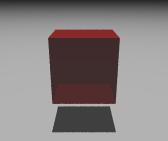
Box I
| Rote Tischglasplatte |
#include "textures.inc"
light_source{ <0,50,0> color rgb 1 }
plane { y, 0 pigment{ color rgb 1 } }
box   { <-1,1,-1> <1,1.1,1> pigment{ color rgbt <1,0,0,0.7> } }
camera{ location <0,4,8> look_at 0 }
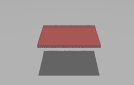
Box II
| ... mit einem Fuß |
#include "textures.inc"
light_source{ <0,50,0> color rgb 1 }
plane { y, 0 pigment{ color rgb 1 } }
box   { <-1,1,-1> <1,1.1,1> pigment{ color rgbt <1,0,0,0.7> } } // Tischplatte
box   { <-1,0,-1> <-0.9,1,-0.9> texture{ Sandalwood } } // ein Fuß
camera{ location <0,2.5,5> look_at 0 }
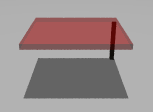
Box III
| Aufgabe |
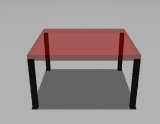
Box IV